
Your new, chart-loving VPS is ready for trading action! There’s just one more thing you need to do before the opening bell: get your login information, which includes the IP Address (think of it as your server’s phone number, but with dots instead of dashes), Username, and Password.
Tip
The steps to find your VPS/Server credentials are as easy as counting backwards from 4:
- Head over to your ChartVPS account via this link, http://portal.chartvps.com/ and login to the client Portal.
- Once you’re in, the main My Dashboard screen will come up, listing all of your current devices.
- Click the Active server for which you want to view details.
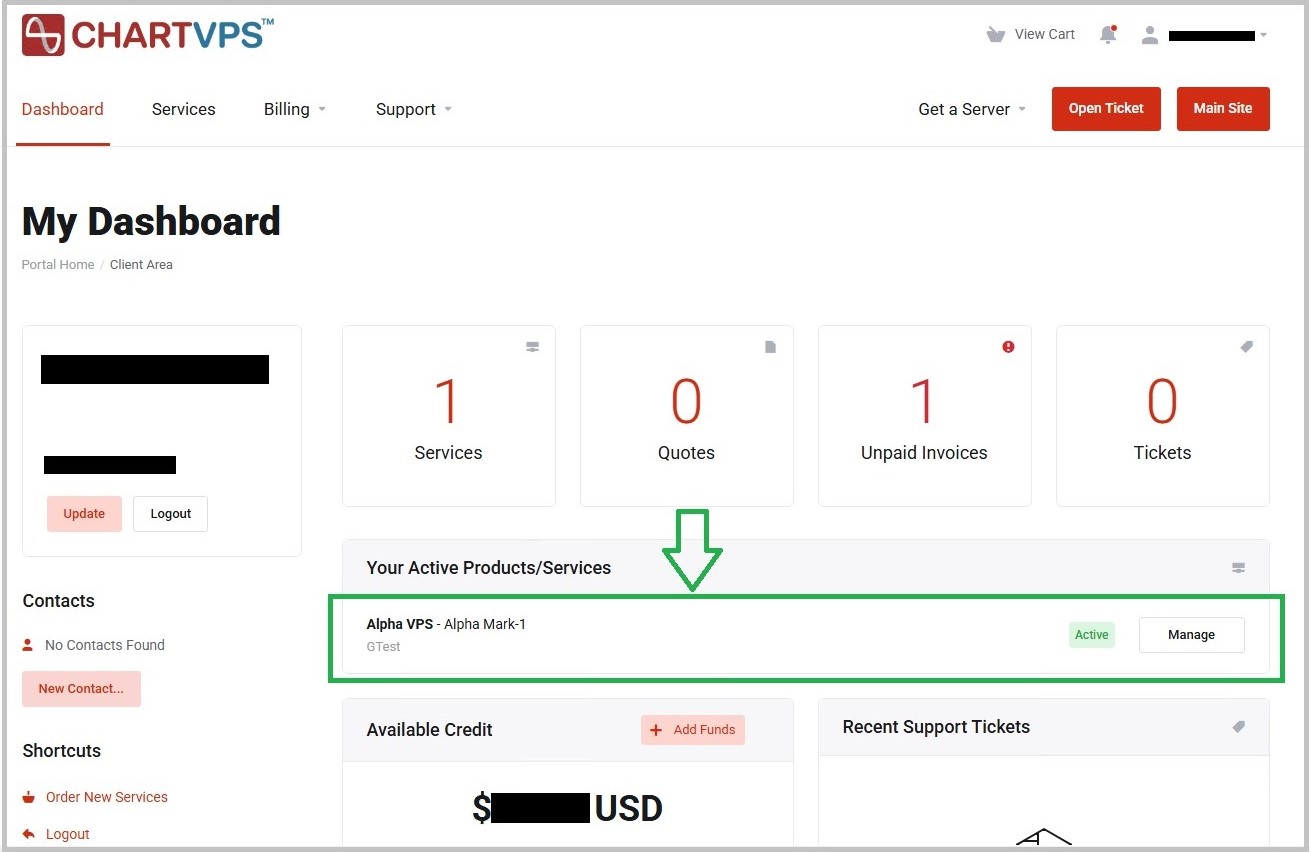
4Next, you will be directed to your active server details page and, once there, just scroll to the bottom of the page to see your Login Information. Blink the “eye” to display the password.
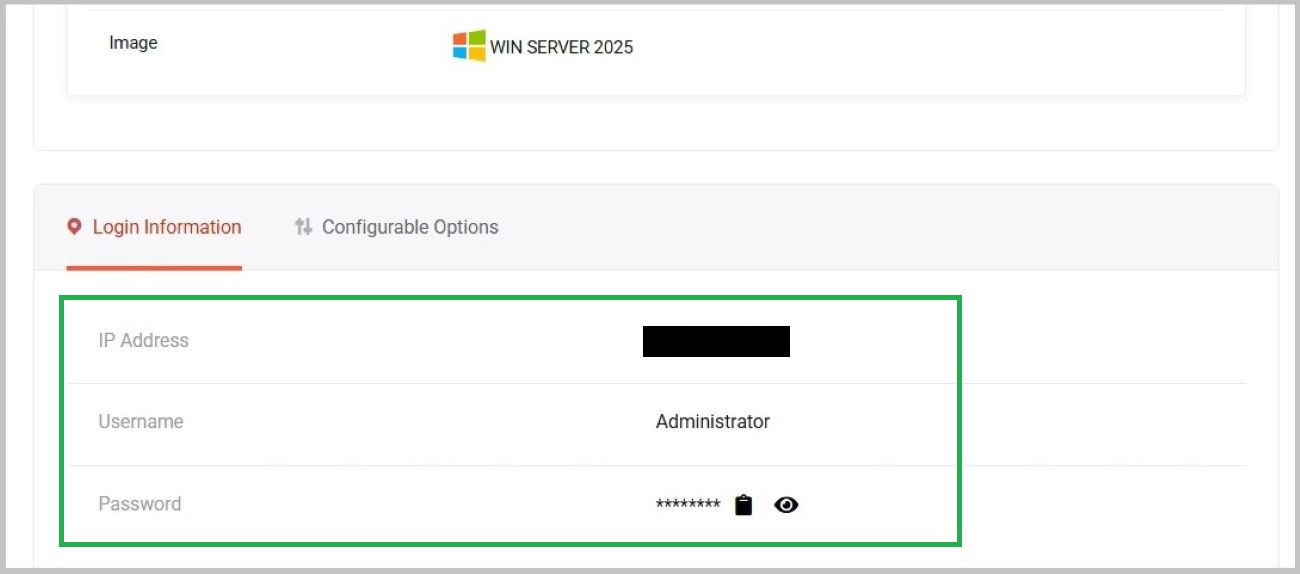
Now that you have all the necessary pieces in place, it’s time to connect to your VPS via Remote Desktop app https://chartvps.com/helpdesk/stack/server-access/
That’s all you need to get connected. Next up, you’ll want to install your favorite trading platforms. If you need help with that, or anything else, our experienced and trading-savvy support team is standing by to assist, 24/7.
Success