
It’s always a good idea to back up the registry before you make any changes. The registry essentially acts as a safety net, so updating it means that if anything goes wrong, you won’t risk messing up your computer or losing important settings. Here’s how you can back it up quickly and easily:
Tip
How to back up your registry:
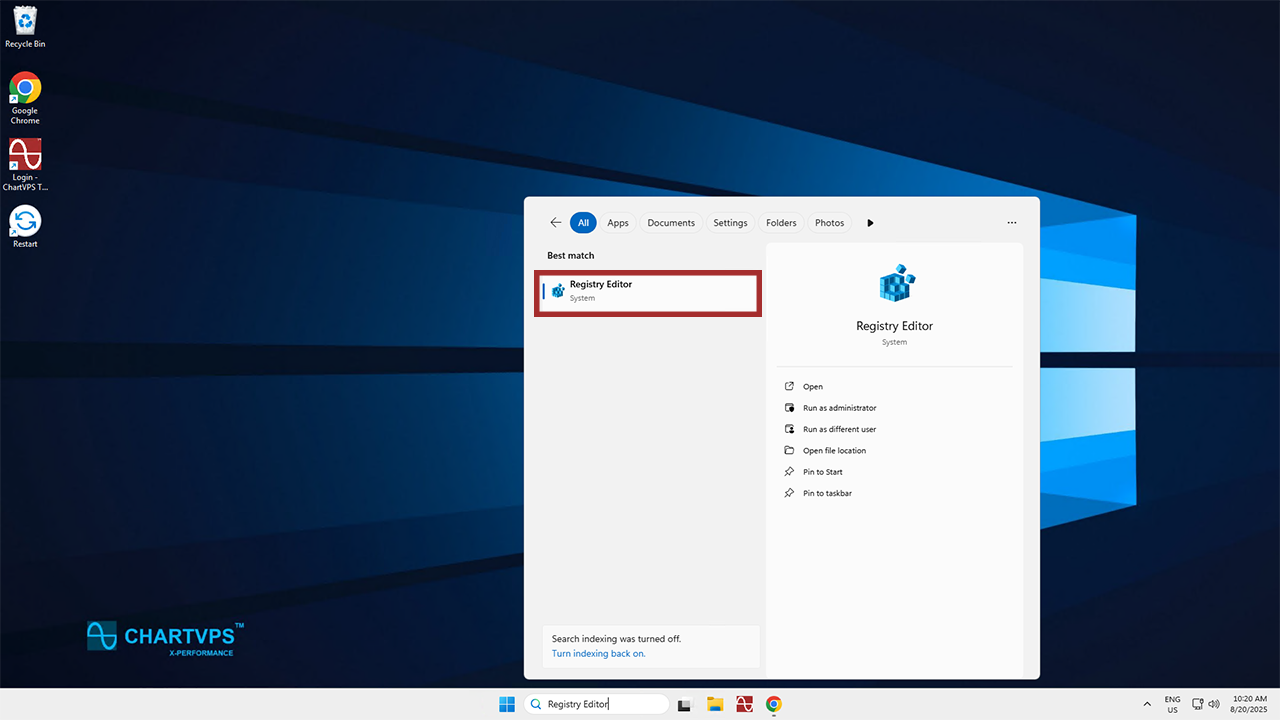
1To start, you’ll need to open up the Registry Editor. To find it fast, hit the Windows key and “S,” then type in “Registry Editor.”
2Now that the Registry Editor is open, it’s time to find and click on the registry key or subkey that you want to back up. For this example, we’ll use ClassManager in the Connections folder, but you have to choose whichever key or subkey is relevant to the changes you’re planning on making.

3With your chosen key or subkey highlighted, go to the top left of the window and hit File, followed by Export.

4This is when you decide where you want to save the backup to, as well as what you want to name it. We recommend naming it something that will make it easy to remember in the future!
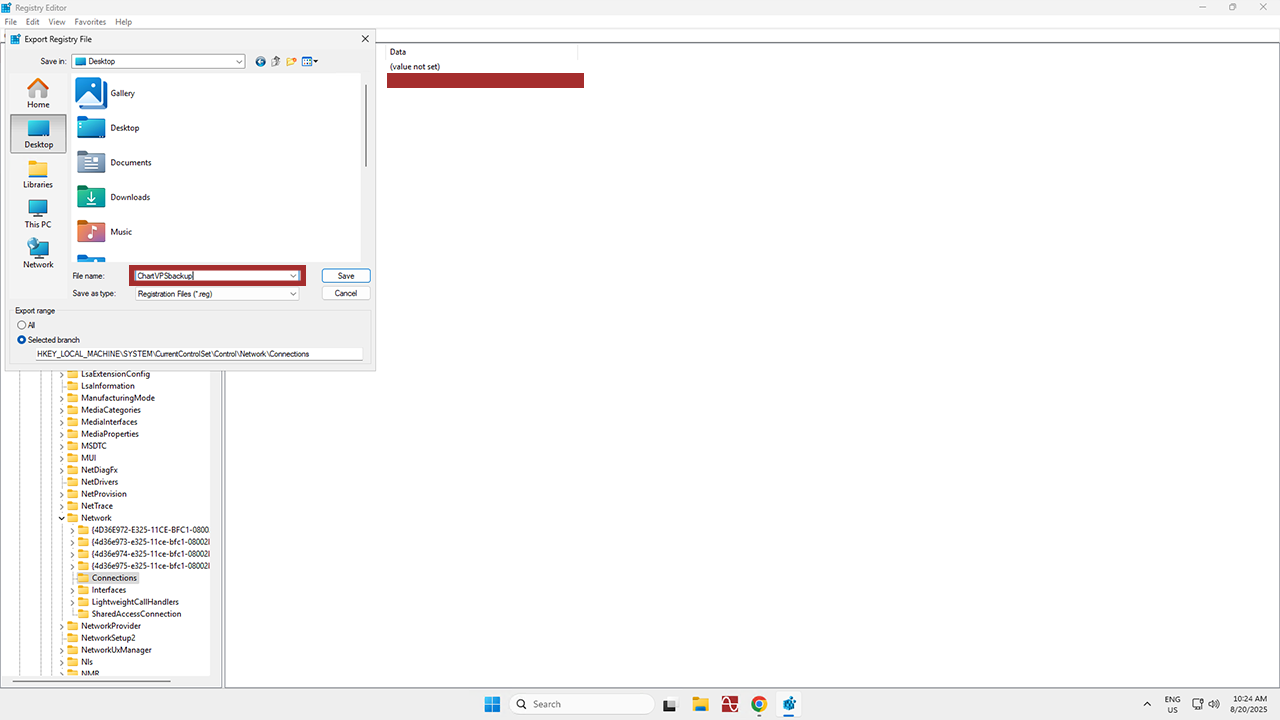
5With that, just hit Save. Congratulations – you’ve backed up your chosen registry!
How to restore a backup:
1Now it’s time to learn how to restore the backup, should that end up being necessary. Once again, you’ll want to open up the Registry Editor.
2Once you’re back inside the Registry Editor, click File again, then select Import.

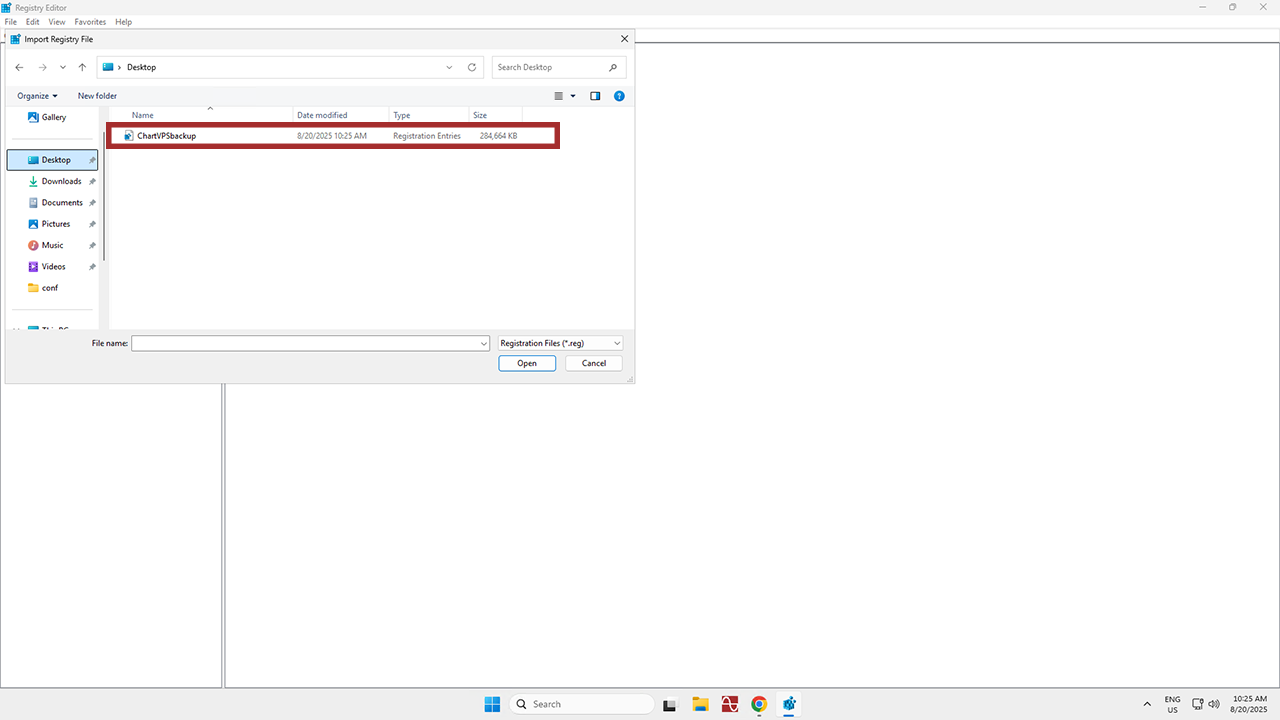
3In the Import Registry File dialog box, find you way back to the location you saved your backup to. Finally, select the backup file, and click Open. Further congratulations are in order – you’ve restored the backup!
Now that you know how to make and restore a registry backup, be sure to back up anything you plan on changing going forward. It’s always better to be safe than sorry – especially when it comes to your computer or server!
Success